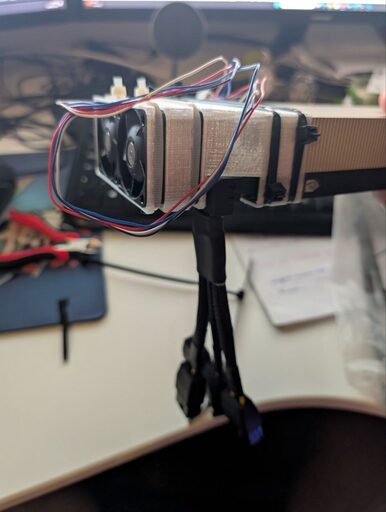
The NVIDIA RTX PRO 6000 Blackwell Server Edition has no cooler and is meant to be used in a server chassis.
On a desk or in a workstation, that airflow is yours to provide. So I printed a duct.
The part
The duct routes two 40 mm fans over the full length of the heatsink and seals the air path so the flow goes through the fins instead of around them. It is printed in PETG with supports, modelled in Onshape, and published on Thingiverse as Air duct for NVIDIA RTX PRO 6000 Server Edition under CC BY-NC-SA.
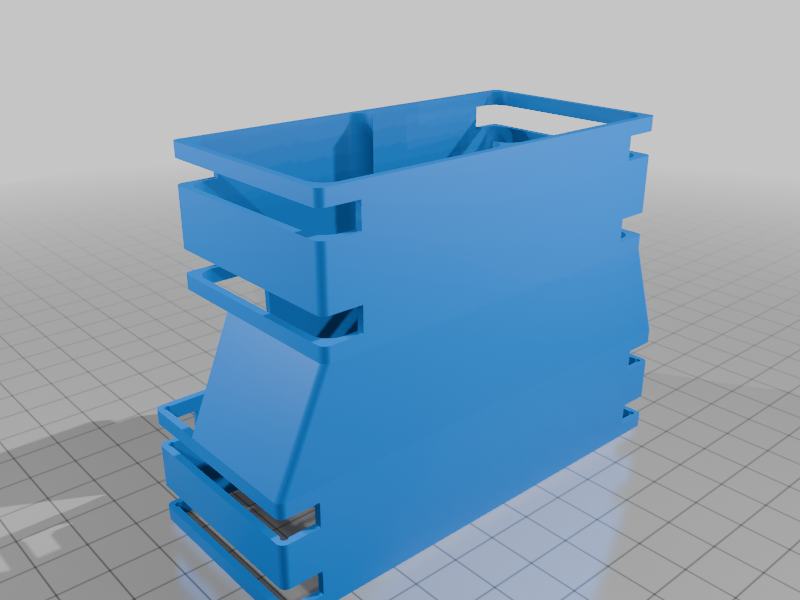
The duct as modelled in Onshape — the two circular fan seats at the left end, a louvered intake along the top, and the long plenum opening that sits over the heatsink. Download the STL · drag to rotate, scroll to zoom
The fans
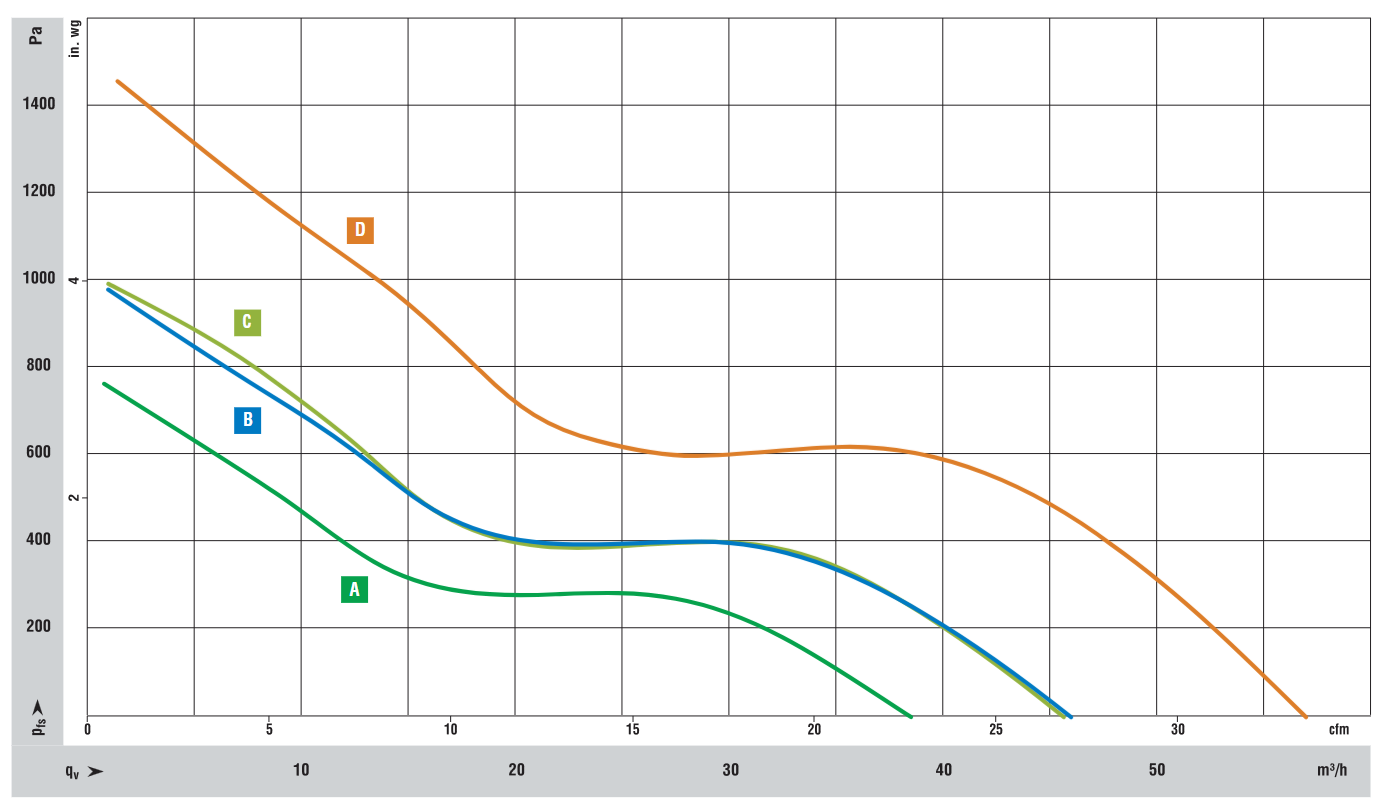
Two ebm-papst 8300100443 — catalogue type VWCE040KHDGS, from the AxiForce 40 series (official datasheet, PDF). They are small, fast and, more importantly for this job, high-pressure fans rather than the usual notebook blowers.
| Parameter | Value |
|---|---|
| Size | 40 × 40 × 28 mm |
| Air flow (free air) | 56 m³/h, i.e. 33 CFM each |
| Nominal speed | 27 000 rpm |
| Voltage | 12 VDC (8…13.8 V) |
| Power | 17 W at free air flow, 24 W max |
| Sound pressure | 65 dB(A) |
| Control | 4-wire: PWM input (3 000–27 000 rpm) + tachometer |
| Bearing / life | ball, L10 70 000 h at 40 °C |
The PWM input matters: at full 27 000 rpm these things are loud, and the card rarely needs the whole envelope.
What the datasheet actually asks for
Table 3-1 of the product brief gives the minimum airflow for the card at each inlet air temperature, every row qualified by NVIDIA:
| Heat sink inlet temperature | Minimum airflow rate |
|---|---|
| 45 °C | 125 CFM |
| 40 °C | 84 CFM |
| 35 °C | 65 CFM |
| 30 °C | 51 CFM |
| 25 °C | 43 CFM |
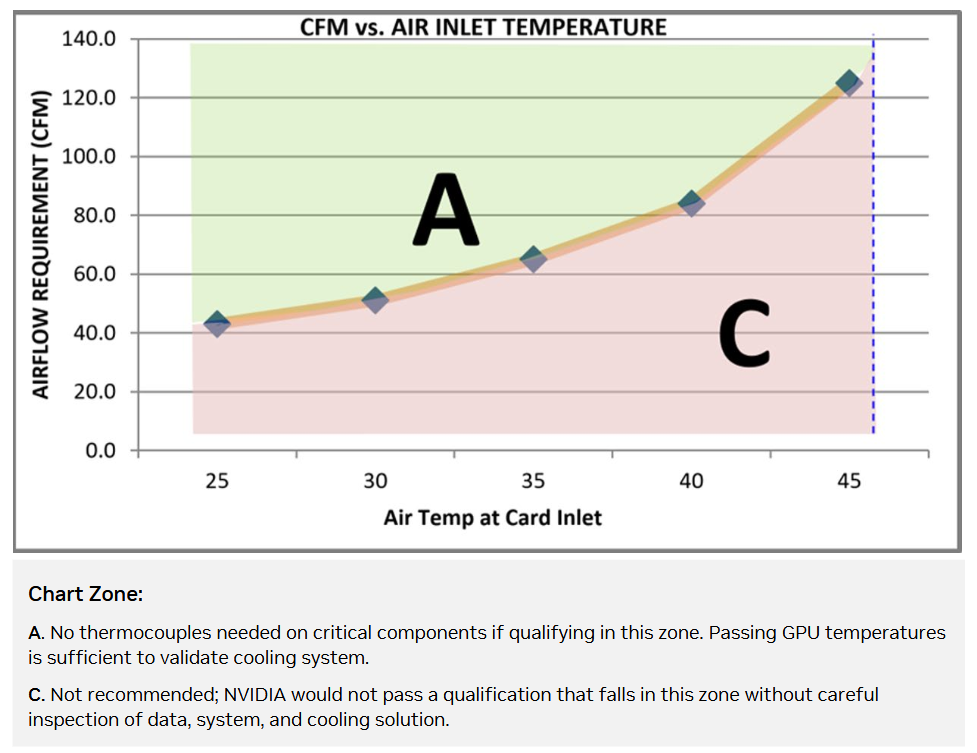
Two footnotes do the heavy lifting:
- The flow is assumed fully ducted through the heat sink — which is precisely what the printed part is for
- The room this machine lives in never exceeds 22 °C, so my operating point sits at or below the 43 CFM row rather than at anything worse.
Fan connection
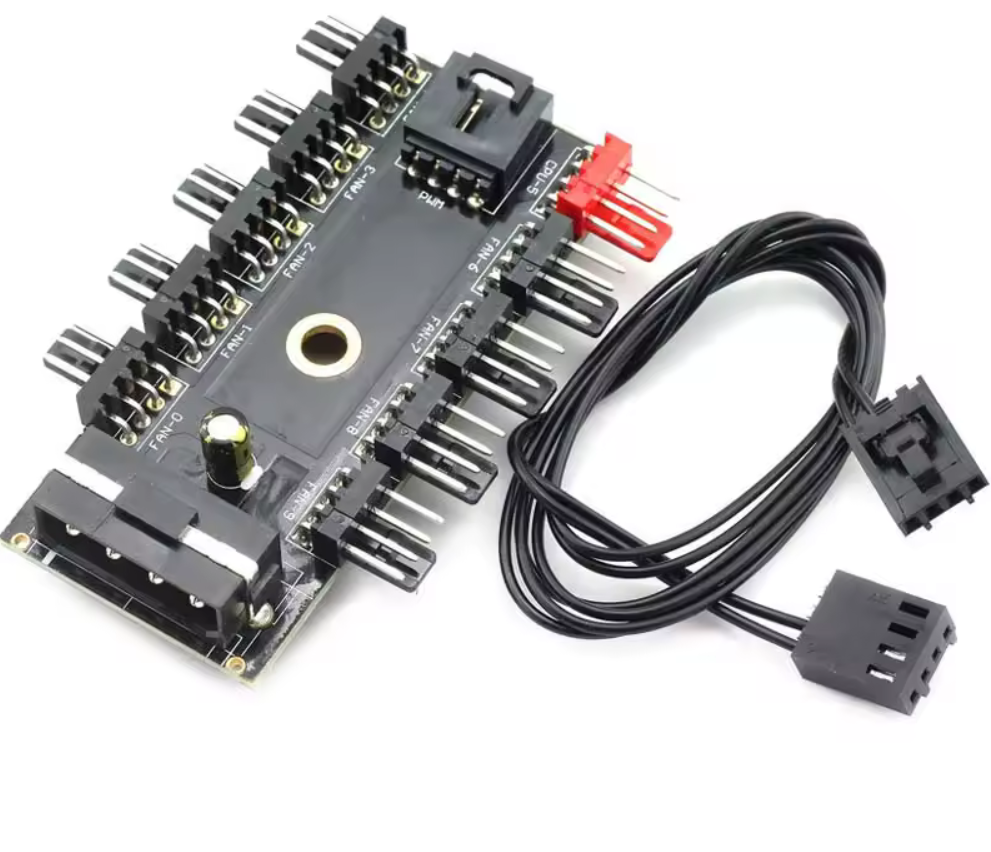
A 4-pin fan PWM splitter is used to drive both fans. The fan speed is controlled by the motherboard using its embedded Adaptive Thermal Management system. (Supermicro model)
The honest part about those numbers
Two fans at 33 CFM each is 66 CFM, but that figure is measured at zero static pressure. A dense heatsink is not zero pressure: the brief publishes the relationship as a pressure-drop curve (Figure 3-3), and the flow any fan actually delivers is where its own curve crosses that resistance.
Hardware setup
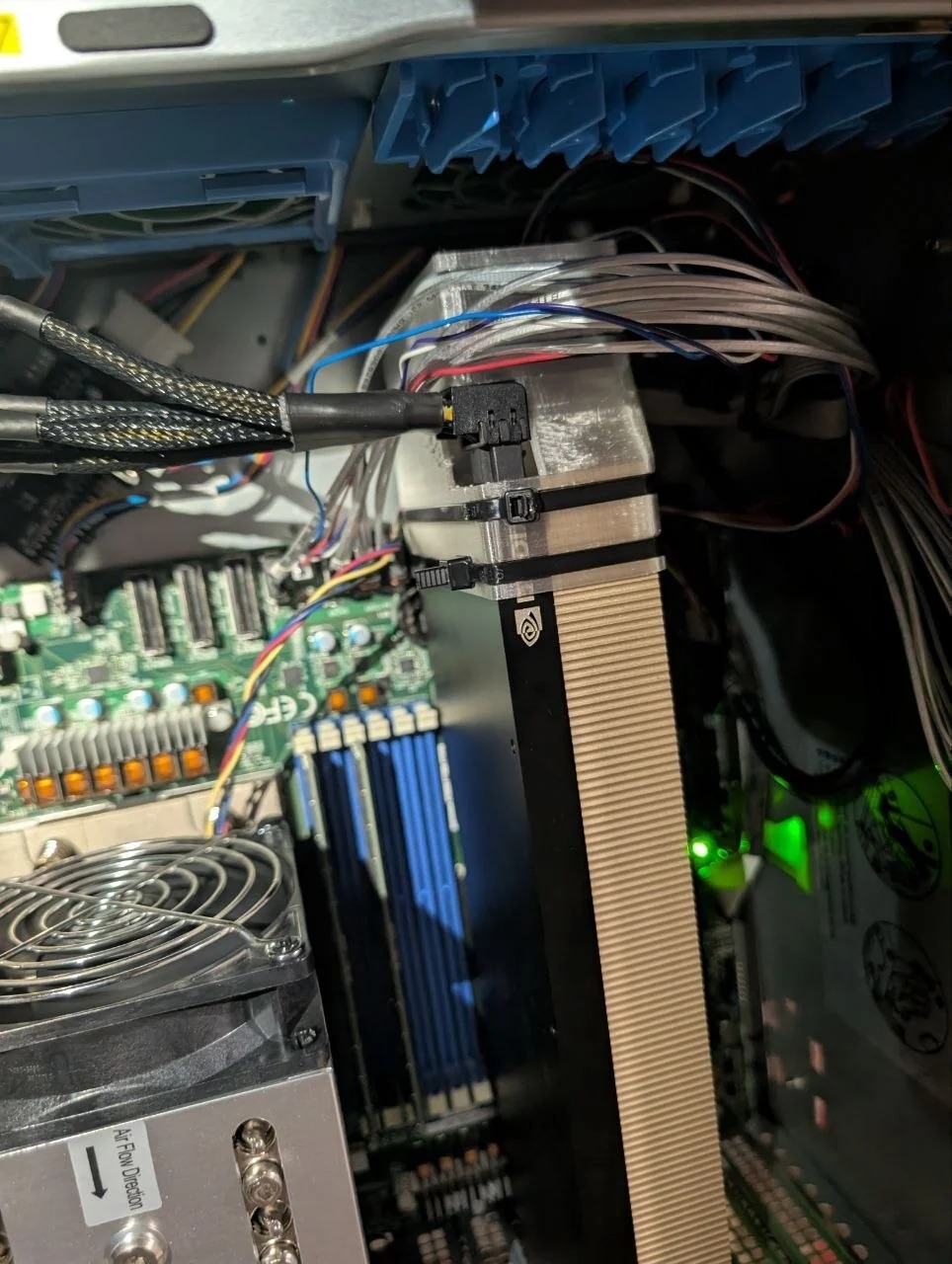
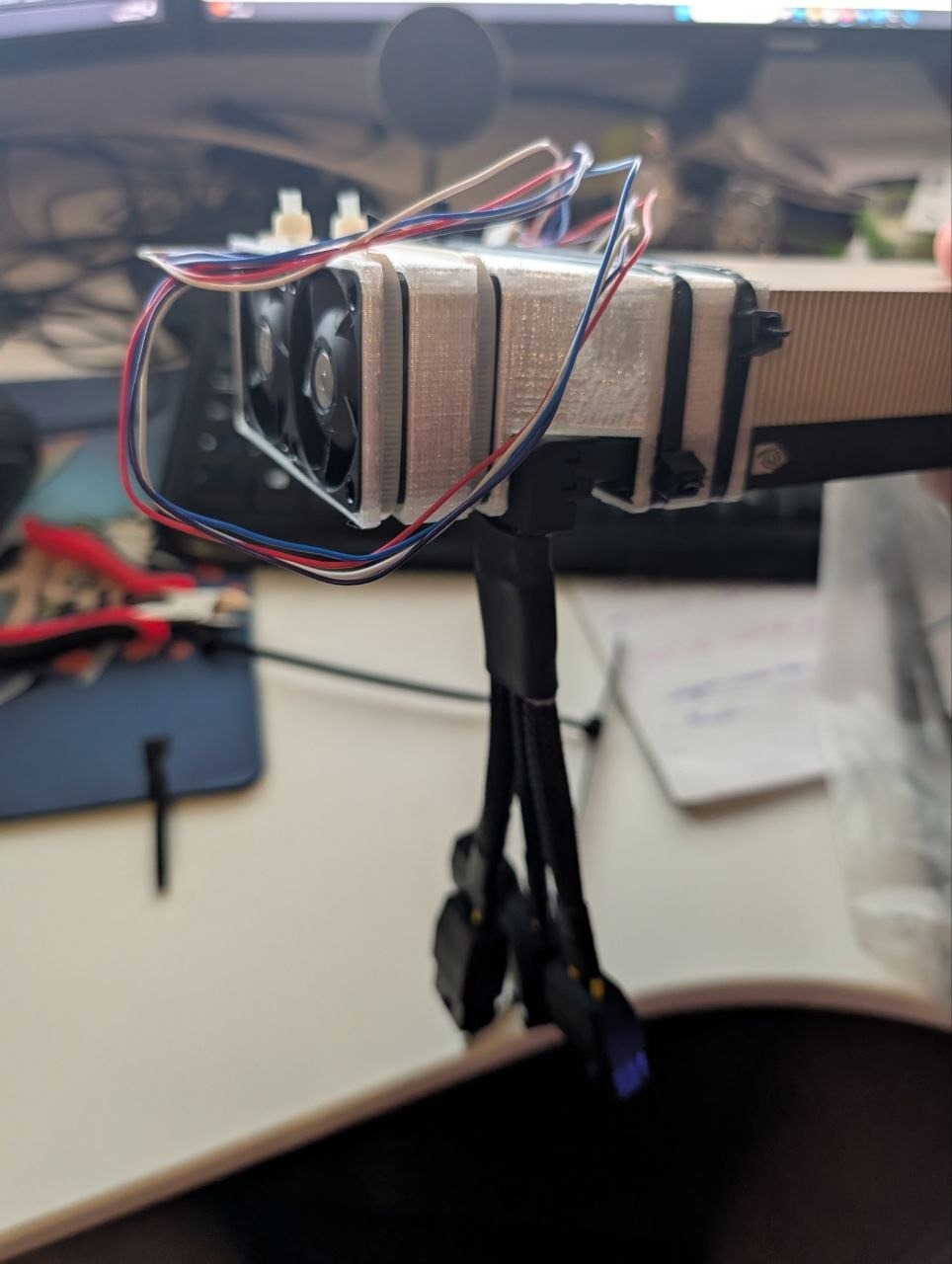
The air duct and fans are fixed using zip ties. It’s light, removable and cheap. An alternative using screws was designed, but, the screws are subject to vibration and required more complex 3D print with support.
Bill of materials
| Item | RS stock no. |
|---|---|
| ebm-papst 8300100443 | 646-769 |
| Molex 47054-1000 connector housing | 720-5990 |
| Molex 08-50-0113 crimp terminal | 670-2263 |
The fans arrive with bare, unterminated leads — no plug on the end — so the two Molex parts are what make them usable: a 47054-1000 housing (4-way, 2.54 mm) with 08-50-0113 terminals crimped onto each conductor. A crimp tool is the only extra thing this needs, and the housings cost under a euro each.
Result
Using nvidia-smi to monitor the GPU temperature:
- when vibe coding using huggingface.co/nvidia/Qwen3.8-Flash-Next-FP4-Local, it’s always below 45 °C.
- under gpu burn, it stays below 65 °C.
There is also the option to limit power to 300 W with
nvidia-smi -pm ENABLED
nvidia-smi -pl 300
The two figures above are observations rather than a benchmark.