📏 Ultrasonic distance meter with an Arduino
List of materials: 4 digits 7 segment with 2 x TM74HC595 shift registers. (schematic) HC-SR04 Ultrasonic Ranging Module (datasheet) distance_measurement.mp4 Simple timer demo Ultrasonic distance meter
List of materials: 4 digits 7 segment with 2 x TM74HC595 shift registers. (schematic) HC-SR04 Ultrasonic Ranging Module (datasheet) distance_measurement.mp4 Simple timer demo Ultrasonic distance meter
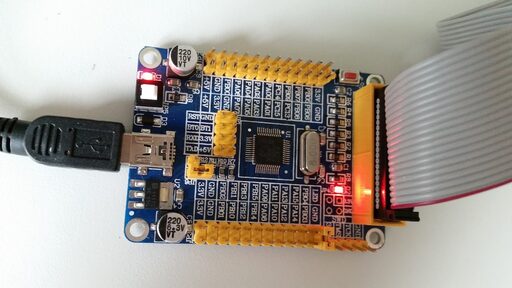
I just ordered one of those cheap 4USD STM32F103 boards from ebay and a JTAG probe. It’s labeled STM32FxCxT6 Board V5.02 150118 As always, the price is as light as the documentation, but eventually digging the WWW you find interesting things. ...
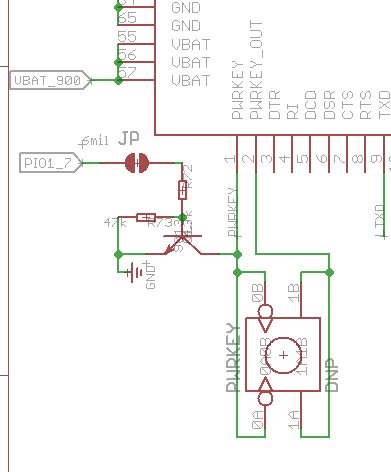
I just received my Seeeduino Arch GPRS V2. The doc is as light as the price 🙂 So don’t be afraid and open the Eagle file and the bottom of the product wiki page. You’ll also need the LPC11U37 datasheet and AN_SIM900 Reference Design Guide_V1.02 (you might find an online copy of the PDF if you don’t want to register yourself). Power the SIM900 ...
Following on from the first part of the Blync hack, I want to be able to control the color from a terminal. Let’s create a simple protocol Command Input in byte Output in byte Default mode 0..7: 0 (AUTO) no output Get current RGB value 0..7: 1 (GET) 0..7: Red as [0..255] 8..15: Green as [0..255] 16..23: Blue as [0..255] Set RGB value 0..7: 2 (SET) 8..15: Red as [0..255] 16..23: Green as [0..255] 24..31: Blue as [0..255] 0..7: 1 (ACK) Here is the demo code in Python using pyserial. ...
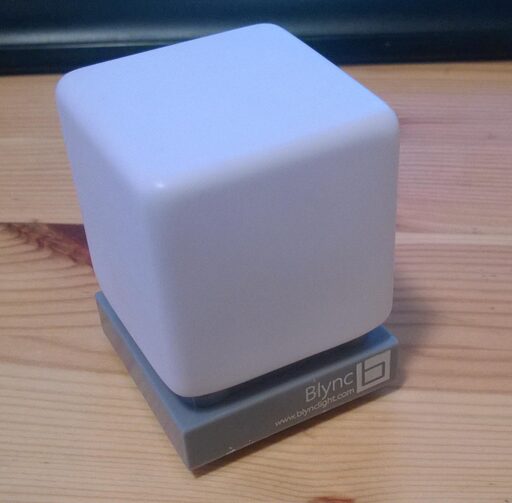
There is a funny little USB gadget called the Blync identified by VID: 0x1130, PID: 0x0001. It’s a glowing RGB cube, but it has two defects for me: the driver is only available for Windows only 7 colors are available Let’s fix it. Software hack That’s the easy part. Plug your Blync under Windows running in a virtual machine. Start Wireshark under the Linux host Dump USB packets Think Replay packets in Python And Voilà: https://github.com/ticapix/blynux ...