🪟 Prepare Windows for remote Ansible control

Enabling Admin account net user administrator /active:yes net user administrator MyPassword Enable Remote access and configure firewall # To be done on both side Enable-PSRemoting Cleaning # To be done on both side winrm enumerate winrm/config/listener winrm delete winrm/config/Listener?Address=*+Transport=HTTP winrm delete winrm/config/Listener?Address=*+Transport=HTTPS Setup $myFQDN=(Get-WmiObject win32_computersystem).DNSHostName+"."+(Get-WmiObject win32_computersystem).Domain New-SelfSignedCertificate -DnsName $myFQDN -CertStoreLocation Cert:\LocalMachine\My $thumbprint=@(Get-ChildItem -Path Cert:\LocalMachine\My | Where {$_.DnsNameList -match "$myFQDN" }).Thumbprint winrm create winrm/config/Listener?Address=*+Transport=HTTPS "@{Hostname=""$myFQDN""; CertificateThumbprint=""$thumbprint""}" Set-Item -Path WSMan:\localhost\Service\Auth\Basic -Value $true Host file In a file named hosts.cfg [targets] server1 ansible_host=123.123.123.123 ansible_user=Administrateur ansible_password=secure_password server2 ansible_host=123.123.123.123 ansible_user=Administrator ansible_password=secure_password [targets:vars] ansible_connection=winrm ansible_winrm_server_cert_validation=ignore And in the playbook --- --- # This playbook tests the script module on Windows hosts - name: Run powershell script hosts: - server1 - server2 vars: nsimul: 8 results_dir: C:\results{{ nsimul }} gather_facts: false tasks: ...
April 7, 2019 Â· 1 min Â· 126 words Â· ticapix

🧱 Unbrick and update a J-Link V8 clone

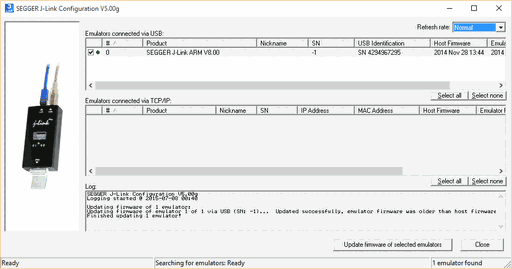
You can buy a Segger JTAG J-Link clone for a few USD on ebay, aliexpress, dx, … If you try to update its firmware with the official Segger tool, you’ll brick the probe. Don’t worry, smart people have already put a checklist to restore a working firmware and even update it to the latest official version. I just put all the needed info into one single page. Unbrick it To restore the firmware, you need to follow the instructions from http://www.sonsivri.to/forum/index.php?topic=41726.50. The best part? It works from Linux. ...

July 9, 2015 Â· 3 min Â· 601 words Â· ticapix

🎧 Use Creative Zen Stone on Windows 8/10

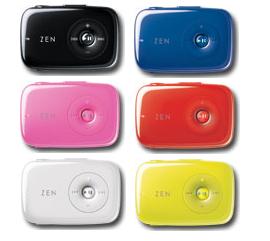
Remember those? Install 7zip. Download Creative ZEN Stone Firmware 1.06.01 Right-click on the file downloaded at Step 2, ZENStone_PCFW_US_1_06_01.exe and extract its content using 7zip. Go inside the newly created folder ZENStone_PCFW_US_1_06_01/vista Right-click on StMp3Rec.inf -> Install Same with StMp3Recx64.inf Unplug&Plug your Stone. Done

March 28, 2015 Â· 1 min Â· 44 words Â· ticapix

💽 Create Bootable Windows USB Flash Drive

I assume that you have a basic understanding of: unzipping a file, mounting an ISO file, opening the Command prompt in Administrator mode and booting your PC from a USB flash drive. Either unpack or extract or mount your ISO file, let’s say in %USERPROFILE%\win_files Insert your USB drive. Open CMD in Administrator mode and type diskpart Microsoft DiskPart version 10.0.10041 Copyright (C) 1999-2013 Microsoft Corporation. On computer: XXXXXXXXX DISKPART> list disk Disk ### Status Size Free Dyn Gpt -------- ------------- ------- ------- --- --- Disk 0 Online 238 GB 0 B * # my HDD drive Disk 1 Online 14 GB 0 B # my USB drive DISKPART> select disk 1 Disk 1 is now the selected disk. DISKPART> clean DiskPart succeeded in cleaning the disk. DISKPART> create partition primary DiskPart succeeded in creating the specified partition. DISKPART> active DiskPart marked the current partition as active. DISKPART> format fs=ntfs quick label="win installer" 100 percent completed DiskPart successfully formatted the volume. DISKPART> assign DiskPart successfully assigned the drive letter or mount point. DISKPART> exit Leaving DiskPart... A new Removable Disk should be showing up, named as ‘win installer’ with, let’s say, letter E:\ Go into the boot\ subfolder of where the installation files have been extracted at Step 1, in my case: cd %USERPROFILE%\win_files\boot We want to make the USB flash bootable with E: the USB drive letter from Step 5. C:\Users\ticapix\win_files\boot> bootsect.exe /nt60 E: Target volumes will be updated with BOOTMGR compatible bootcode. E: (\\?\Volume{a91720d2-a87d-11e4-ab33-3c970e90bd43}) Successfully updated NTFS filesystem bootcode. Bootcode was successfully updated on all targeted volumes. Copy the content of the folder from Step 1 onto the USB flash drive with xcopy xcopy %USERPROFILE%\win_files\*.* E:\ /E /F /H The syntax is xcopy with the following options: /E Copies directories and subdirectories, including empty ones. /F Displays full source and destination file names while copying. /H Copies hidden and system files also. Once the copy is done, safely unplug the USB drive and boot your PC from it.

March 27, 2015 Â· 2 min Â· 330 words Â· ticapix

🎬 CanalPlay VOD

Attempt to rent a movie online with CanalPlay VOD 21h25 Find a movie and decide to watch it. First failure because Linux is not a supported OS Booting Windows XP in a Virtual Machine (vmware) Scan of the computer configuration from the CanalPlay website Incompatible media player -> Request to update to Windows Media Player 11 6 clicks further on the Microsoft website, before the update can be downloaded, a genuine Windows code must be entered. The code is given by an application to download and execute on the computer. Once the code entered, the download starts (25MB) Windows Media Player 11 installation Goto step 4. CanalPlay plugin installation Restart the browser Goto step 4. Windows Media Player 11 scan fails again. Reboot the computer (well, the VM) 21h36 During reboot, some system updates are applied. The plugin still doesn’t work with Firefox The scan finally works with IE Creating a CanalPlay account Wrong country: the movie is not available Creating an SSH Socks proxy to a server in France (Thanks OVH) 21h45 Renting the movie in SD for 48h for 4€ (Yes, I really want to try) The payment is rejected because a foreign credit card is used. Shutting down the VM 21h48 Creating a Purevid account Monthly subscription for 4.5€ Starting the movie in streaming from Linux with Firefox. 21h53

March 28, 2014 Â· 2 min Â· 222 words Â· ticapix